Imagine typing a single sentence — “Create a 30-second skincare ad over NYC at sunset” — and watching in under 10 seconds as an ultra-HD video appears, complete with voice, visuals, and cinematic flair. That’s exactly the bold promise of Sora AI video editor — a next-gen tool that claims to transform your ideas into professional videos without needing a camera or editing suite.
But is it all hype? Does it deliver? And more importantly — is it worth your time, money, and trust?
In this in-depth review, you’ll discover:
- What Sora AI video editor really is
- Core features, strengths, and caveats
- How it stacks up to competitors
- Real use cases and ideal users
- Pricing, licensing, and how to get access
- Tips to make it genuinely profitable
- My verdict: should you try it?
Let’s dive in.
What Is Sora AI Video Editor?
Sora AI is positioned as a text-to-video generation and editing platform that uses advanced AI to convert your written prompts into ultra-realistic video content. Here’s what the marketing claims:
- No filming — you “just type the idea.”
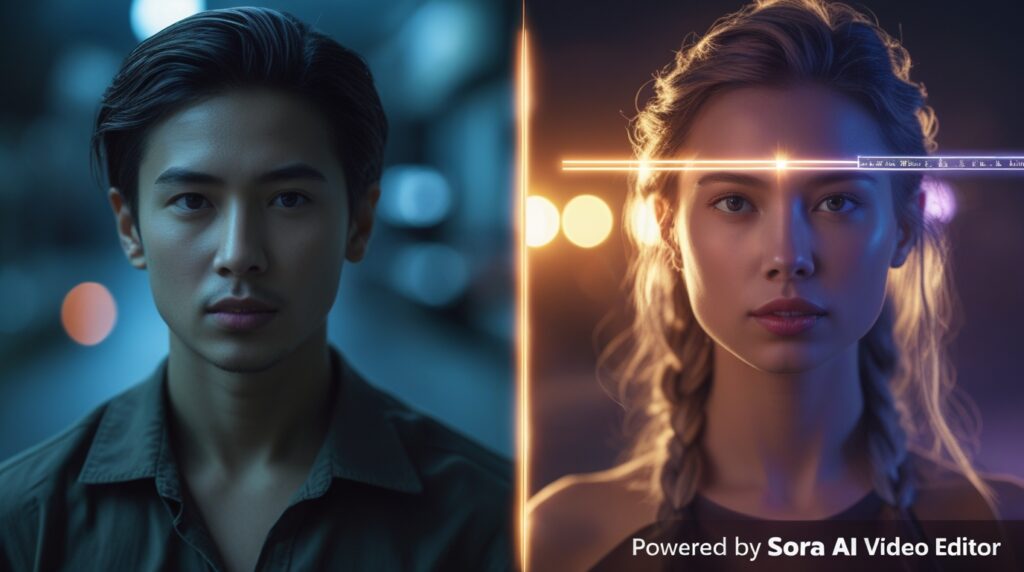
- Features like “Cameo Mode” let you insert yourself into generated scenes.
- Outputs are claimed to be ultra-HD (4K) and cinematic.
- Fully cloud-based — no GPU, no installs.
- Comes with built-in voices, music, captions, and effects.
- Includes a commercial license so you can sell content you generate.
- Promoted as a one-time purchase (no ongoing subscriptions).
From the landing page, the boldest claims include:
- Speed — generate full videos in seconds
- No APIs or setup required
- Perfect for beginners
- Unlimited usage, no throttling or hidden fees
- Special bonuses, upsells, and urgency-based pricing
But do those claims hold up in practice? That’s what we’ll test.
Key Features & Benefits
Here’s how Sora AI is marketed, and why each feature matters — plus things to watch out for:
| Feature | Benefit / Reason It Matters | Potential Concern |
|---|---|---|
| Text-to-video | You skip filming altogether; you focus on ideas | AI may misinterpret prompts; visuals might not match intent |
| Cameo Mode (insert yourself) | Personalized videos — you star in your content | Face-matching might have errors, awkward blending, or constraints |
| Ultra-HD / 4K rendering | High quality, usable for professional use | Rendering quality might drop when under server load |
| Cloud-based, no GPU needed | You can use it from any device | Dependent on server speed, internet, and reliability |
| Built-in voices, music, effects | All-in-one tool — no need for extra asset sourcing | Voice quality, music licensing, and originality need vetting |
| Commercial license included | Legally sell the videos you make | Verify that all generated components are free for commercial use |
| Unlimited usage, no restrictions | Avoids credit systems and monthly caps | Could have hidden usage ceilings or “fair use” rules |
| Optimized for social (TikTok, Reels, Shorts) | Formats ready out of the box for highest traction | Aspect ratios, pacing, and algorithmic optimization matter more than output alone |
If these features truly work as described, Sora AI could solve one of the biggest bottlenecks for creators: video production cost and time.
If you’re ready to test it, here’s your chance:
🚀 Try Sora AI Video Editor Now (Lifetime + Commercial Rights)
Limitations & Red Flags to Watch
Because the promises are high, it’s important to keep a skeptic’s eye:
- Prompt misinterpretation
AI sometimes misreads your directions, leading to weird scenes or mismatches. - Generic / AI artifacts
Outputs might show telltale “AI style” artifacts, shaky motion, or unnatural stitching. - Bias and content safety
AI models can reflect biases or produce unintended content; misuse for deepfakes is a risk. - Copyright & licensing issues
If the AI’s training data includes copyrighted content, generated assets may be legally murky. - Server constraints & scaling
Under heavy usage, you might hit latency, rendering delays, or temporary restrictions. - Hype vs reality gap
The public examples often show the best-case outputs — real users may struggle to match them initially. - Sustaining updates
Without ongoing model improvements, the tool could fall behind competitors quickly.
Treat this tool as powerful, but experimental — don’t entrust mission-critical deliverables without testing.
Comparison: Sora AI vs Other AI Video Tools
Here’s how Sora stacks up with some peers:
| Tool | Strengths | Where It May Fall Behind | Best Use Case |
|---|---|---|---|
| Runway | Rich creative controls, effects | More editing effort may be required | Visual storytelling, compositing, creative projects |
| Descript | Transcript-based editing, voice cloning | Less pure generative capability | Podcasts, tutorials, video editing workflows |
| Fliki | Simple text-to-video + voices | Limited in hyper-realistic visuals or cameo mode | Social media content, explainers |
| Eddie AI | Repurposing, editing at scale | May lack full generative control | Bulk content repackaging, scaling existing content |
| Google Veo / other research models | High research backing | Limited public access, sometimes slow | Experimental, high-end R&D uses |
In user reviews and blog roundups, Sora is already being tested as one of the more ambitious tools in the AI video generation space. Some comparisons place it among the top picks for 2025.
If you’re ready to test it, here’s your chance:
🚀 Try Sora AI Video Editor Now (Lifetime + Commercial Rights)
Use Cases — Who Gains Most from Sora AI Video Editor?
Here are real-world examples where Sora can be a game-changer:
- Digital marketers / advertisers — Rapidly create and test ad creatives across angles.
- Content creators / influencers — Produce content at scale without elaborate gear.
- Small businesses & solopreneurs — Reduce outsourcing costs for video production.
- Agencies / freelancers — Offer video services to clients with faster turnaround.
- Course creators / coaches — Craft promo, testimonial, or teaser videos easily.
- Local business owners — Provide video content to local clients cheaply.
But for:
- Feature films, narrative storytelling, or tightly controlled cinematography — traditional production still wins.
- Highly regulated or legal content — you may want full control over every element.
Pricing, Bonuses & How to Get Sora AI
Here’s the offer as presented in the sales materials:
- One-time payment — full lifetime access (no recurring fees).
- Launch special pricing for early adopters.
- Bonus upsell: Video Monetizer Add-on — extra training and monetization modules.
- Commercial license included — you can legally sell what you create.
- 30-day money-back guarantee (with conditions).
- Typical comparison: $47/month service vs. your one-time price below.
If you’re interested in getting access to Sora AI with all the features described, you can get it here (my affiliate link):
🔗 Get Sora AI Video Editor (Lifetime Access + Commercial License)
Tips to Maximize Results with Sora AI
To get better outcomes and reduce wasted prompts, here are actionable tips:
- Start with simple prompts — Build a basic scene then layer complexity.
- Be descriptive & precise — Include setting, mood, shot type, lighting.
- Use reference images or templates (if supported) — helps guide visuals.
- Batch your requests — submit several prompt variations at once.
- Refine & iterate — don’t expect perfection on first try; adjust prompts.
- Post-edit selectively — use minor corrections or overlays to enhance output.
- Combine with human editing — for premium clients, mix AI base + human finesse.
- Always check licensing — for any music or visual elements included.
Over time, you’ll build a “prompt library” of formulas that reliably produce good results.
Can I legally sell or license videos I create with Sora AI?
The offer claims a commercial license is included. However, you should read the terms carefully to ensure you retain full rights for all generated assets.
Does the output have watermarks?
The marketing says “no watermarks, no restrictions”. Always verify in your user dashboard to confirm.
What if the output isn’t good enough?
Use the 30-day refund guarantee (if terms allow). Also, refine your prompts and test different styles.
Can I insert myself or clients into videos?
Yes, via Cameo Mode. But face matching, blending, and realism will depend heavily on the underlying model.
Will there be updates or future limitations?
It depends. Any AI tool needs ongoing improvements; check that the provider commits to long-term support.
Final Verdict
The Sora AI video editor is one of the boldest attempts yet at democratizing video creation. If it truly delivers on its promises — instant ultra-HD outputs, cameo insertion, unlimited usage — it could disrupt the market. That said, the gap between marketing and real-world outputs can be significant.
Here’s what I recommend:
- Test it first — start with your own small ideas, see how the outputs look.
- Don’t rely blindly — always review & retouch AI-generated content before publishing.
- Use for lower-stakes content first before deploying on client projects.
- Monitor updates, community feedback, and user results — the tool’s future matters.
If you’re ready to test it, here’s your chance:
🚀 Try Sora AI Video Editor Now (Lifetime + Commercial Rights)
Let me know if you want me to convert this into WordPress-ready HTML, add images & alt text, or even build a shorter “review summary” that you can share on social media!